YOUR EVERYDAY GUIDE TO THE NIGHT SKY
A little curiosity.
A whole sky
to discover.
Find that bright planet. Follow the Moon. Make time for a meteor shower. Get to know the sky above you, one discovery at a time.
GET IT ONGoogle PlayAvailable on Android · Free with ads · Optional Premium
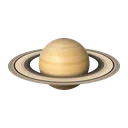
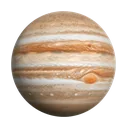
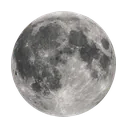 SATURN — THE RINGED PLANETOUR NEAREST NEIGHBOURIllustrative sizes and distances
Big sky.
Plenty to find.
01 / FIND YOUR BEARINGS
That bright one?
Give it a name.
Search for a planet, star or constellation, then follow the guidance to find its direction. See where it sits in your sky and whether it’s above the horizon.
Explore with your phone’s movement, or switch to Touch Mode to pan and zoom at your own pace. An optional camera backdrop brings the map into your surroundings.
MAKE A DATE WITH THE SKY02 / SOMETHING TO LOOK FORWARD TO
The next good
reason to look up.
Browse upcoming meteor showers, lunar phases, eclipses and planetary events. Read what’s happening and check viewing information for your location.
Save an event reminder so a night you’re curious about doesn’t slip past. Local conditions and visibility still matter; not every event is visible everywhere.
Discover events in SkyFinderBEFORE YOU HEAD OUTSIDE
A few things
to know.
No SkyFinder account needed.
Just bring your curiosity.
What can I find with SkyFinder?
Explore the Sun, Moon, planets, thousands of stars and all 88 constellations. Search for something specific or browse the full sky map, then discover upcoming events in the Events tab.
Do I need to use the camera?
Explore setup asks for camera and location access. Once inside, you can turn camera visibility down to zero or use Touch Mode to explore without an active camera. Events uses your location for local viewing information.
Will it work offline?
The built-in sky catalog and sky-position calculations work offline. Updating the event catalog, ads, purchases and opening web links need an internet connection.
How do event reminders work?
Open an event and choose a reminder. Allow notifications when asked and keep notifications enabled for SkyFinder. Device settings can delay or prevent reminders, and event viewing depends on your location and conditions.
Does the camera identify stars?
SkyFinder uses your location, time and phone direction to guide you. It does not identify objects from camera images. Compass calibration, magnetic interference and obstructions can affect what you see.
How is my information used?
No account is required. Your precise sky-guidance location, camera view and motion readings are processed on your device. Advertising, optional analytics, purchases and feedback involve other information. Read our privacy policy for details and choices.
TONIGHT, START WITH A LOOK UP
There’s more
above you.
Never look directly at the Sun or through optical equipment without appropriate certified solar protection.